Everything you need to manage your operation from a single platform
Discover all the features of our platform and see how it can simplify processes, increase efficiency, and give you complete control over your operation.
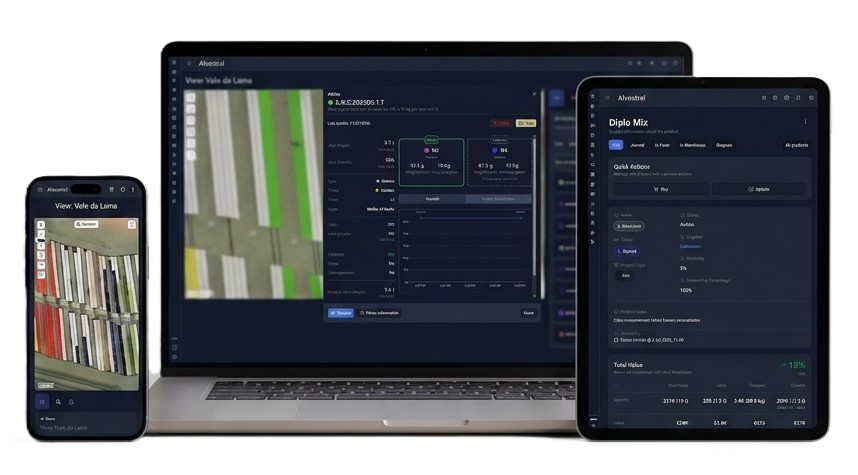
A complete platform for oyster farming operations
Purpose-built for off-bottom oyster farming with the Rack and Bag system.
Every part of the production cycle is connected in one place, helping teams move faster, stay informed, and keep quality high from hatchery to harvest.
Interactive Map of the Production Area
Visualize and manage your farm directly on the map to understand the layout, locate production areas, and monitor oyster distribution in real time. Explore your operation by zones, groups, grades, products, and other key criteria to quickly identify what is happening across the farm.
Create Your Farm Location
Create a farm location by selecting its area on the map or entering coordinates manually. Add a name and description, then access the location from the Dashboard to manage your farm.
Design Your Oyster Farm Layout
Design your oyster farm layout directly on the map. Learn how to create groups, define line configurations, position them on the map, and save a complete farm layout that reflects your real production setup.
Create & Manage Farm Zones
Organize your farm layout with zones. Group selected lines into logical sections to quickly identify, manage, and update different parts of your operation. In this tutorial, learn how to create, name, edit, and organize zones, including working with lines from one or multiple groups to keep larger farm layouts clear and efficient.
Visualize Oyster Distribution Across Your Farm
Switch between visualization modes to quickly locate and understand how oysters are distributed across the farm. See your operation by Slot Group, Grade, Product Type, Ploidy, Supplier, or Product, and use the color-coded map to find what you need fast.
Find Oyster Batches with Map Search & Filters
Use Map Search to quickly find and locate specific oyster batches across your farm. Instead of searching manually, apply filters to narrow down the results and view only the batches that match your criteria. Filter by Product, combine multiple filters, clear them when needed, and use the location icon to jump directly to the matching group on the map.
View Oyster Group Information, History & Growth
View each oyster group's current status, including weight, grade distribution, quantity, mortality, and tasks. Explore growth charts and filter the operation history to track how the batch changes over time.